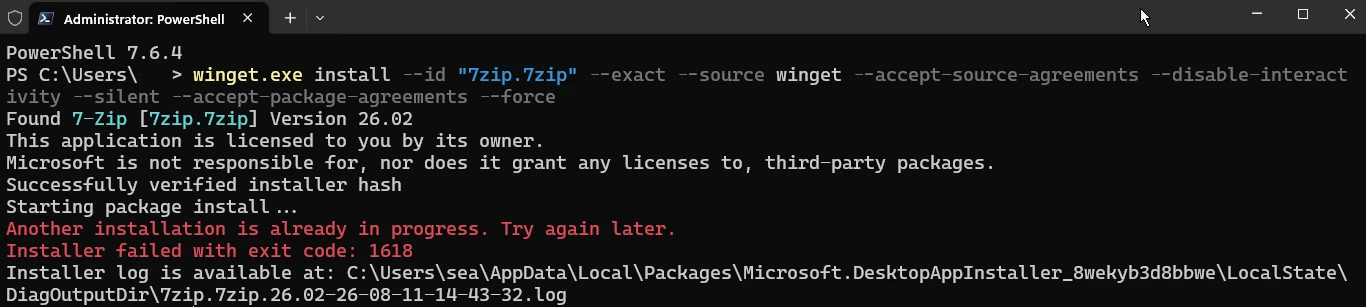
Fix Failed Code 1618

I received error 1618 when installing 7-Zip with winget. The package was found, the installer hash was verified, and the installation started, but Windows reported that another installation was already in progress. This error is normally related to Windows Installer, also known as MSI. Windows Installer allows only one MSI installation transaction at a time. If another operation is running, waiting for input, or stuck after an earlier failure, a second package installation returns error 1618. ...

August 11, 2026 · 7 min · PwshTips

Manage Hosts by RDCMan and Tabby

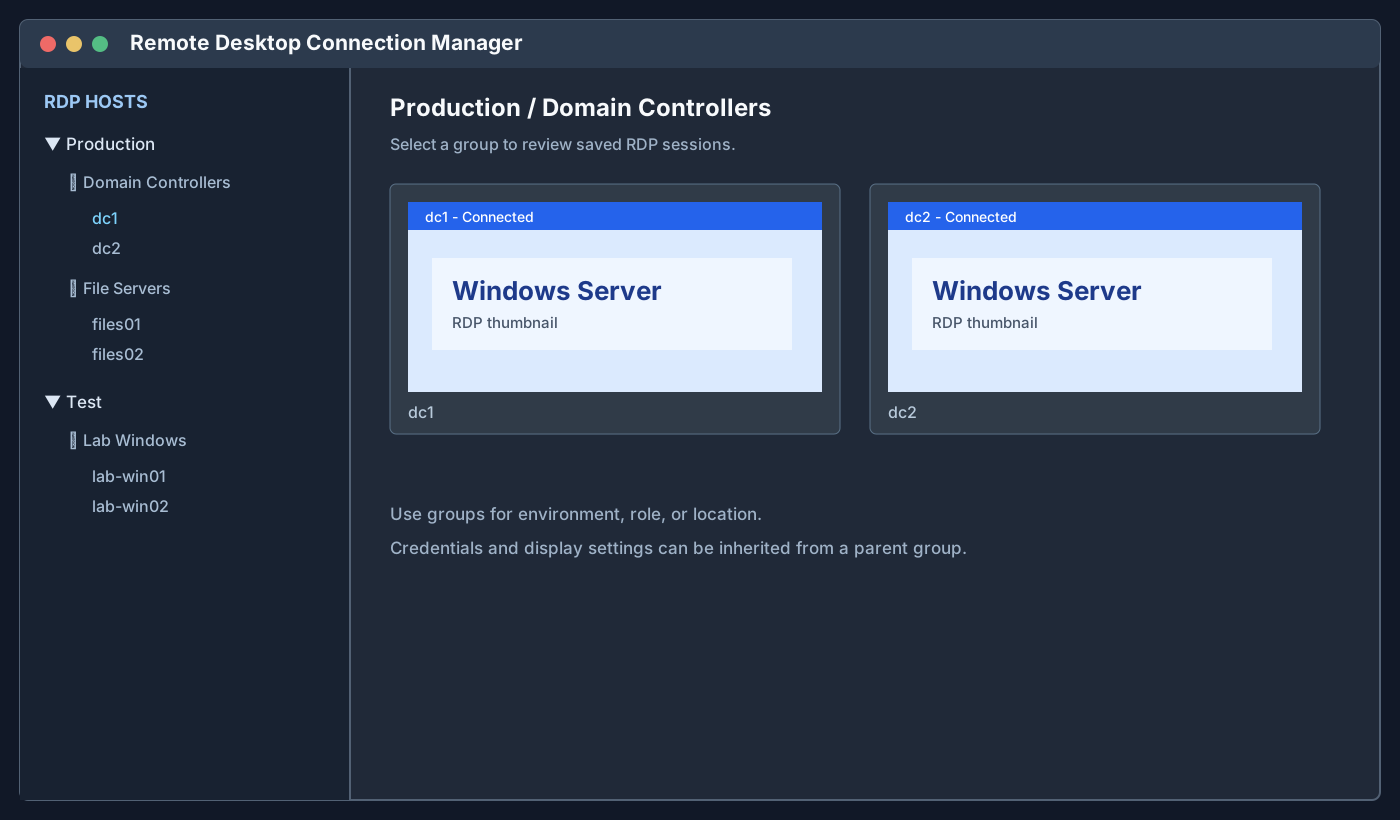
I manage two different types of remote computers every week: Windows hosts that I access through Remote Desktop Protocol (RDP), and Linux hosts that I access through Secure Shell (SSH). Instead of putting every connection into one large application, I use two focused tools: Microsoft Sysinternals RDCMan for Windows RDP connections and Tabby for Linux SSH connections. This arrangement keeps the connection type visible. When I need a Windows desktop, I open RDCMan. When I need a Linux shell, I open Tabby. Both applications are lightweight enough to leave available during the day, and both let me organize a growing list of hosts into named groups. ...

August 10, 2026 · 9 min · PwshTips

How to Detect If a Host Is Windows or Linux

When I receive an IP address or hostname, the first question is often whether the remote host is running Windows or Linux. That determines which tools, credentials, ports, and remote-management protocols I should try next. There is no universal detection command that works against every host. A firewall can block ping, WinRM, CIM, and SSH, and a network device can answer in a way that looks like an operating system. The most reliable method is to query an operating-system-specific service after confirming that the host is reachable. ...

August 9, 2026 · 10 min · PwshTips

PowerShell Is Denied in Tabby

I installed the PowerShell Preview version on Windows, installed Tabby, and opened a new Tabby terminal. The terminal itself started normally, but running pwsh failed immediately. The error looked like this: Program 'pwsh.exe' failed to run: Access is denied At line:1 char:1 + pwsh + ~~~~ + CategoryInfo : ResourceUnavailable: (:) [], ApplicationFailedException + FullyQualifiedErrorId : NativeCommandFailed This was confusing because PowerShell Preview had already been installed and pwsh worked outside Tabby. The fix was to remove the Preview package and its remaining AppX package, install the stable PowerShell package, remove Tabby, reboot Windows, and verify which pwsh.exe Windows resolved. ...

August 9, 2026 · 8 min · PwshTips

Fix Task Scheduler Error 2147750687

I recently had a Windows Scheduled Task fail with this kind of event in the Task Scheduler Operational log: Task Scheduler failed to start "\Folder\Example_Task" task for user "NT AUTHORITY\SYSTEM". Additional Data: Error Value: 2147750687. The important parts are the event source, the event ID, and the error value: Field Value Log Microsoft-Windows-TaskScheduler/Operational Event ID 101 Level Error OpCode Launch Failure Error Value 2147750687 Hex value 0x8004131F In plain English, this usually means Task Scheduler tried to start the task, but another instance of the same task was still running. The task did not fail because PowerShell could not start, and it did not necessarily fail because the account was wrong. It failed before the new run started because Task Scheduler blocked a second instance. ...

June 24, 2026 · 12 min · PwshTips

Scheduled Tasks with PowerShell for Local and Remote Deployment

Scheduled Tasks are one of the most useful built-in deployment tools on Windows. They are not as polished as Intune, Configuration Manager, or a real RMM platform, but they are available almost everywhere and work well for controlled admin jobs: copy a script, run a cleanup task, install an MSI, start a BAT file, or schedule a one-time maintenance command. I use scheduled tasks when I need something more reliable than “open a remote PowerShell session and hope the command keeps running.” A task can run as SYSTEM, run whether a user is logged on or not, keep its own history, and start at a specific time. That makes it useful for local work and for remote deployments to a small group of machines. ...

June 24, 2026 · 8 min · PwshTips

PowerShell Error Handling with Try, Catch, and Finally

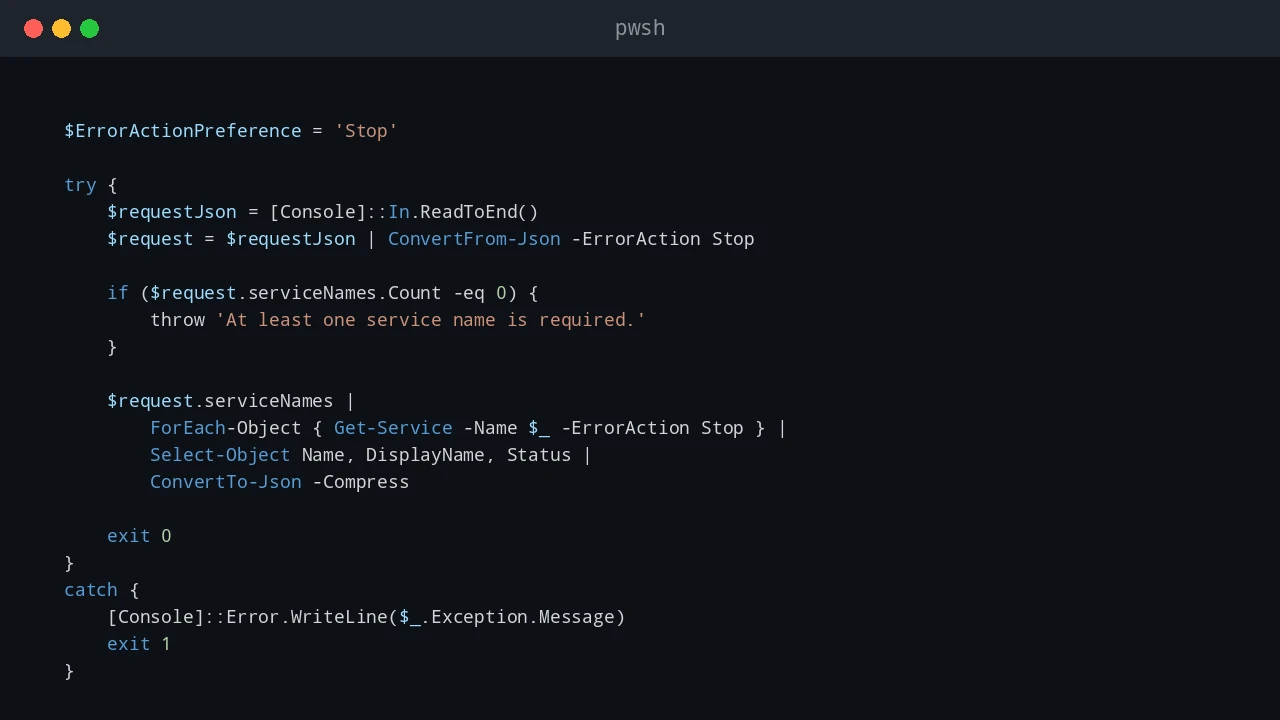
PowerShell error handling is easy to ignore while a script is still small. A command fails, the red text appears, and you fix the problem while looking at the console. That stops working when the same script runs from Task Scheduler, a deployment tool, a remote session, or a service account. At that point, the script needs to explain what failed without you watching it live. For production scripts, I usually want two things at the same time: a clear message on the screen when I run the script manually, and a log file that remains after the console is closed. try, catch, and finally are the basic tools for that pattern. ...

June 23, 2026 · 8 min · PwshTips

Remove Temporary Hex Folders from the C Drive

Sometimes Windows leaves strange folder names directly under C:\. They often look like random hexadecimal strings, for example 2b5da985a5f78e4b5d0c3b89, feba7..., or another long mix of numbers and letters. I usually see this after installing or repairing Microsoft Visual C++ Redistributable packages, .NET components, drivers, or other Windows installer packages. Most of the time these folders are temporary extraction folders. The installer should clean them up when it finishes. When an installer crashes, is interrupted, runs under a different security context, or leaves files locked until reboot, the folder can remain on the root of the system drive. ...

June 23, 2026 · 7 min · PwshTips

PowerShell Logging Patterns for Production Scripts

Logging is one of those parts of a PowerShell script that feels optional until the first production failure happens at 2 AM. When a script is run manually, you can watch the console and fix problems as they appear. When the same script runs from Task Scheduler, a deployment tool, a service account, or a remote session, the console is gone. The log becomes the only witness. For small one-off scripts, Write-Host might be enough. For production scripts, I want a log that answers a few basic questions quickly: ...

June 21, 2026 · 10 min · PwshTips

Installing PowerShell Online and Offline

Installing PowerShell is easy on an internet-connected machine. It gets more interesting on servers, locked-down workstations, and networks that cannot reach package repositories. This post covers both cases: normal installs with package managers and offline installs where you need to move installers and modules by hand. Quick answer On connected Windows machines, install PowerShell 7 with winget install Microsoft.PowerShell and keep Windows PowerShell 5.1 for legacy modules. On offline machines, download the PowerShell installer, required modules, and trusted package sources on a connected computer, move them to the target system, then install from local files. Verify the install with $PSVersionTable.PSVersion. ...

December 25, 2025 · 7 min · PwshTips