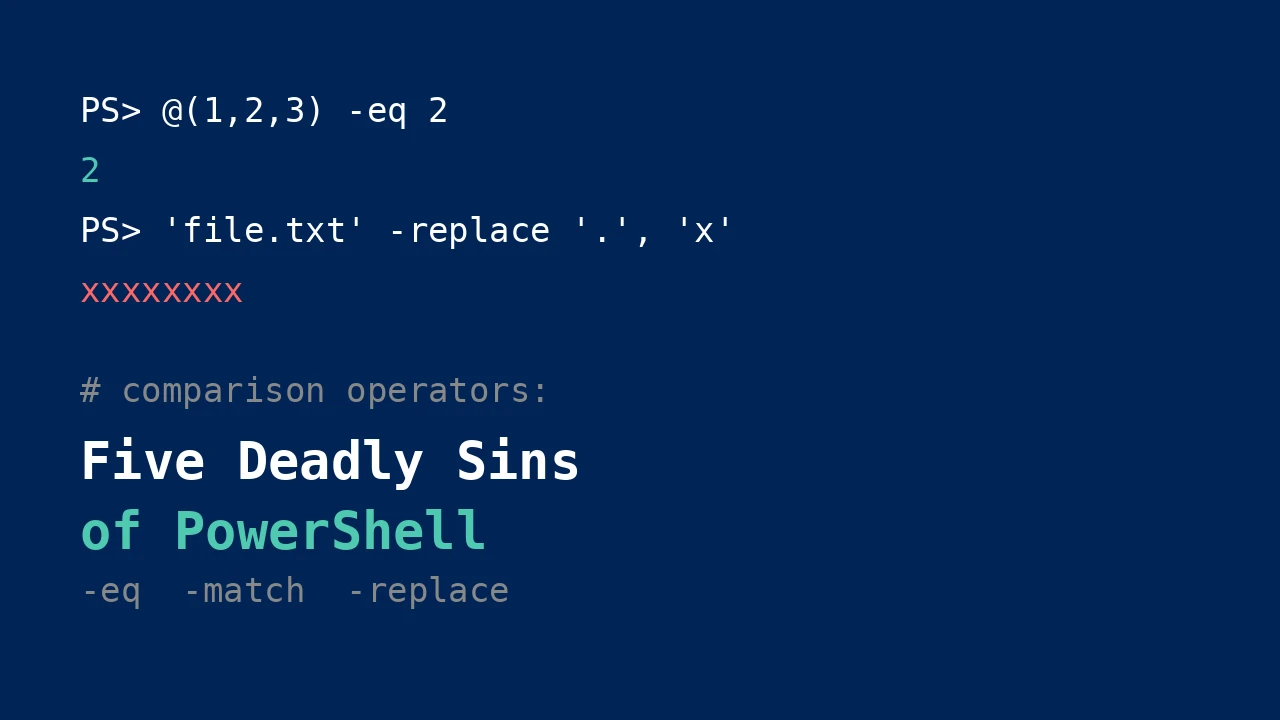
A script checks whether a service exists before restarting it. The check passes, the restart runs, and then the log fills with errors for a service that was never there. Nothing in the code looks wrong. The comparison operator did exactly what it was told — which was not what the author meant.
PowerShell’s comparison operators borrow their spelling from other languages but not their semantics. Each of the five cases below is a real behavior, verified in a console, that surprises people coming from C#, Python, or Bash. The format is a trial: the crime-scene code, the verdict on why it behaves that way, and the corrected code.
Sin 1: $null on the wrong side
Crime scene:
$services = Get-Service | Where-Object { $_.Status -eq 'Running' }
if ($services -eq $null) {
    Write-Host "No running services found"
}
The intent is clear: if the filter returned nothing, $services is $null, so warn and stop. Run it on a machine with running services and the warning prints anyway. The if fired when it should not have.
Worse, flip it around:
PS> @(1,$null,3) -eq $null
# one blank line: the $null element that matched
PS> $r = @(1,$null,3) -eq $null; $null -eq $r
False
PS> $null -eq @(1,$null,3)
False
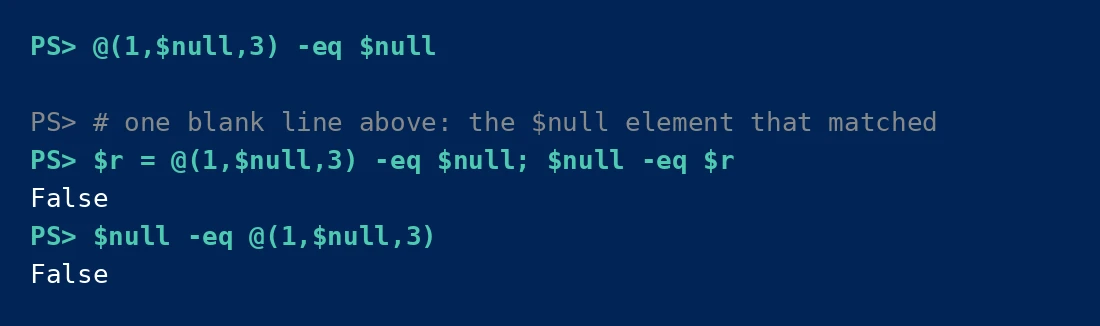
The first command prints a single blank line — the $null element that matched. It does not print True. The second shows that the result is not itself $null; it is a one-element array containing $null. The third shows that putting $null on the left of a collection comparison returns $False, because a collection is never equal to $null.
The verdict: when the left operand of -eq is a collection, PowerShell does not return a boolean at all. It acts as a filter and returns every element that matches the right side. @(1,$null,3) -eq $null means “give me all elements equal to $null”, and the answer is a one-element array holding $null. An array — even one holding a single $null — is truthy enough to enter an if block, which is why the crime-scene code misfires.
The corrected code: $null always goes on the left when testing for nullness. This is the one PowerShell convention worth memorizing:
if ($null -eq $services) {
    Write-Host "No running services found"
}
With $null on the left, the operator is a scalar comparison and returns a real boolean. This also protects against the case where $services is an empty array rather than $null: $null -eq @() is $False (an empty array is not $null), which tells you the filter ran and found nothing — a different fact from “the variable was never assigned”, and worth distinguishing in error handling.
Sin 2: @(1,2,3) -eq 2 returns 2
Crime scene:
$required = @(1, 2, 3)
if ($required -eq 2) {
    Write-Host "2 is required"
}
It prints the message. Fine. Now change the data:
$required = @(1, 3)
if ($required -eq 2) {
    Write-Host "2 is required"
}
It prints nothing, also fine. So what is the problem? The problem is that the if is not testing what it appears to test:
PS> @(1,2,3) -eq 2
2
PS> if (@(1,2,3) -eq 2) { 'branch taken' }
branch taken
PS> @(1,2,3) -contains 2
True
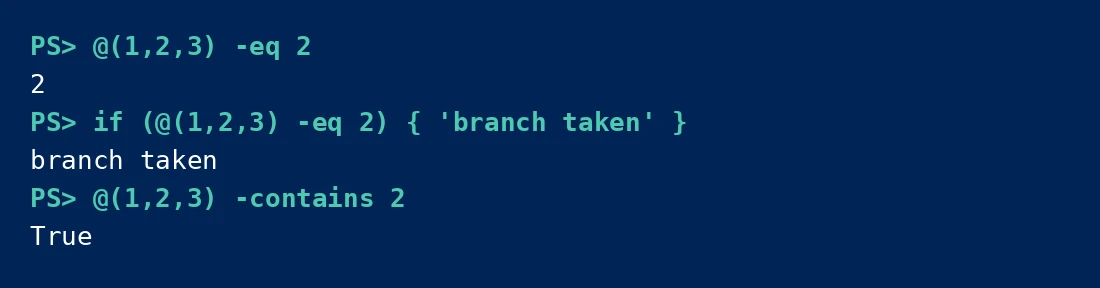
The expression @(1,2,3) -eq 2 evaluates to 2 — the matching element, not $True. The if works here only by accident: a non-empty result is truthy. It breaks the moment the match itself is falsy. Consider @(0,1,2) -eq 0: the result is 0, which is falsy, so the if branch is skipped even though 0 was found. The condition silently inverts.
The verdict: same filter mechanism as Sin 1. Any comparison operator with a collection on the left returns matching elements. Using that result directly as a boolean is a latent bug — it works until the matched value happens to be $null, 0, $false, or an empty string.
The corrected code: use the operators designed for membership testing. They return real booleans:
if (@(1,2,3) -contains 2) {
    Write-Host "2 is required"
}

# or the readable reversed form (reads like English)
if (2 -in @(1,2,3)) {
    Write-Host "2 is required"
}
If you genuinely want the matching elements (the filter behavior is useful — e.g., @($files) -like '*.log'), be explicit about it: wrap in @() and check .Count so the intent is visible:
$matches = @(@(1,2,3) -eq 2)
if ($matches.Count -gt 0) {
    Write-Host "Found: $($matches -join ',')"
}
Sin 3: case-insensitive by default
Crime scene:
$names = @('Alice', 'alice', 'ALICE')
$unique = $names | Sort-Object -Unique
Write-Host "Unique count: $($unique.Count)"
Output:
PS> 'Foo' -eq 'foo'
True
PS> 'Foo' -ceq 'foo'
False
PS> 'Foo','foo','FOO' | Sort-Object -Unique
Foo
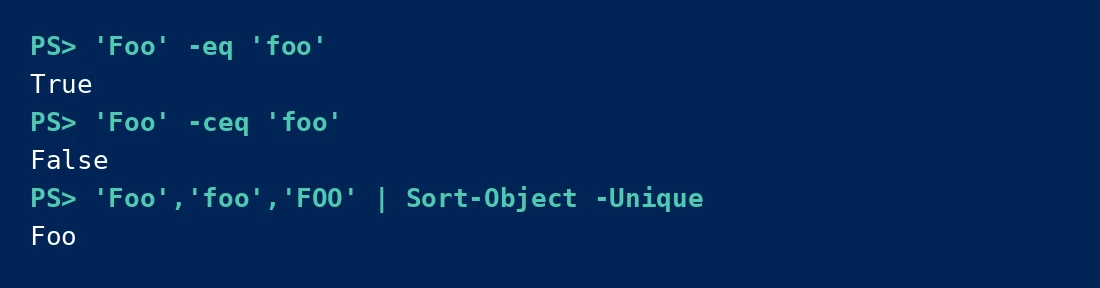
Three casings of the same name collapse to one. 'Foo' -eq 'foo' is $True. The unique count is 1, not 3.
The verdict: every PowerShell comparison operator is case-insensitive unless its name carries a c prefix. This is by design — PowerShell was built for Windows, where file systems and AD are case-insensitive — but it bites in three places. First, string deduplication: Sort-Object -Unique and Select-Object -Unique both fold case. Second, hashtable keys: $h['Foo'] and $h['foo'] are the same key. Third, any code that treats case as significant — passwords, base64 tokens, case-sensitive API keys — will compare wrong with plain -eq.
The prefixed family is: -ceq, -cne, -cgt, -cge, -clt, -cle, -clike, -cnotlike, -cmatch, -cnotmatch, -ccontains, -cnotcontains, -cin, -cnotin, -creplace. There is also the explicit-insensitive i prefix (-ieq), which behaves like the default and exists for clarity in scripts that mix both.
The corrected code:
# case-sensitive comparison
if ('Foo' -ceq 'foo') { "same" } else { "different" }  # different

# case-sensitive dedup: sort first, then compare adjacent with -cne
$names = @('Alice', 'alice', 'ALICE')
$unique = $names | Sort-Object -CaseSensitive -Unique
Note Sort-Object -CaseSensitive: without it, -Unique folds case. With it, all three survive. When the goal is genuinely case-insensitive dedup, the default is correct — the sin is not knowing which one you asked for.
Sin 4: == does not exist
Crime scene — written by anyone arriving from C#, Java, JavaScript, or Python:
if ($status == 'Running') {
    Restart-Service $svc
}
PowerShell’s answer:
PS> 1 == 1
ParserError:
The assignment expression is not valid. The input to an assignment operator
must be an object that is able to accept assignments, such as a variable
or a property.

The parser sees == and reads it as = followed by =: an assignment whose target is the literal 1. The error message talks about assignment because, to the parser, that is what you attempted.
The verdict: PowerShell has no ==, no !=, no ===. Comparison is always a dash-prefixed word operator. The full family:
| Operator | Meaning |
|---|---|
-eq, -ne |
equal / not equal |
-gt, -ge, -lt, -le |
greater / greater-or-equal / less / less-or-equal |
-like, -notlike |
wildcard match (*, ?, [a-z]) |
-match, -notmatch |
regex match |
-contains, -notcontains |
collection contains element |
-in, -notin |
element in collection |
Each has c (case-sensitive) and i (explicit case-insensitive) variants, e.g. -ceq, -imatch. Two distinctions matter daily: -like uses wildcards ('file.txt' -like 'file*' is $True), while -match uses regular expressions ('file.txt' -match '^file' is $True). Mixing them up is Sin 5’s cousin — a pattern that works in one and silently means something else in the other.
The corrected code:
if ($status -eq 'Running') {
    Restart-Service $svc
}
For editors: the PSScriptAnalyzer rule PSAvoidUsingDoubleEquals does not exist, but most PowerShell linters flag == as a parse error before it ever runs. If you type == by muscle memory, the red squiggle is the parser doing its job.
Sin 5: -replace speaks regex
Crime scene:
$filename = 'file.txt'
$safe = $filename -replace '.', '_'
Write-Host $safe
Expected file_txt. Actual:
PS> 'file.txt' -replace '.', 'x'
xxxxxxxx
PS> 'file.txt' -replace '\.', 'x'
filextxt

Eight x’s. Every character of file.txt — all eight — was replaced, because in regex . means “any character”. The operator did not look for a literal dot; it matched everything.
The verdict: -replace (and -match, -notmatch, -split) take regular expressions, not literal strings. This is documented and consistent, but it collides with the most common real-world use: sanitizing filenames, where dots, brackets, and dollar signs are everywhere. 'report[1].txt' -replace '[1]', '2' does not replace the literal [1] — it replaces any 1. '$100' -replace '$', 'USD ' does nothing at all, because $ anchors to end-of-string and the replacement inserts at the position after the last character… or rather, it replaces the zero-width end anchor, producing '$100USD ' — close to intended by luck, wrong in general.
The corrected code: escape the pattern. Two options:
# Option 1: escape the regex metacharacters by hand
'file.txt' -replace '\.', '_'

# Option 2: let .NET do it — handles every metacharacter
'file.txt' -replace [regex]::Escape('.'), '_'
'report[1].txt' -replace [regex]::Escape('[1]'), '[2]'
[regex]::Escape() is the safer habit: it escapes ., [, ], (, ), $, ^, *, +, ?, {, }, |, and \ in one call. When the search string comes from a variable — a username, a filename read from disk — always escape it. The one time you skip it is the time the input contains a [.
A related trap: -replace replaces all occurrences, unlike some languages’ single-replace default. 'aaa' -replace 'a', 'b' gives 'bbb'. There is no built-in “replace first” operator; that needs [regex]::Replace($s, $p, $r, 1) with a count argument.
The pattern behind all five
Every sin here comes from the same root: PowerShell optimizes for the interactive admin, not the language lawyer. Collections filter instead of erroring because at a prompt, @($procs) -eq 'svchost' returning the processes is more useful than a type error. Case-insensitivity matches Windows. Regex in -replace matches the .NET library it wraps.
None of these are bugs. They are design decisions that punish assumption. The defense is small and mechanical: $null on the left, -contains/-in for membership, c-prefixed operators when case matters, -eq never ==, and [regex]::Escape() around any literal fed to -replace. Five habits, and the operators stop surprising you.
💬 Comments