Windows Scheduled Tasks vs Linux Cron Jobs

Windows Task Scheduler and Linux cron solve the same basic problem: run something later, or run it again on a schedule. The idea is simple, but the two tools feel very different in daily administration. On Windows, Scheduled Tasks are tied deeply into the operating system. They understand users, triggers, privileges, idle state, battery state, and event-based starts. On Linux, cron is smaller and more direct. A cron job says, “run this command at this time,” and that simplicity is exactly why it has lasted for decades. ...

June 24, 2026 · 8 min · PwshTips

PowerShell Error Handling with Try, Catch, and Finally

PowerShell error handling is easy to ignore while a script is still small. A command fails, the red text appears, and you fix the problem while looking at the console. That stops working when the same script runs from Task Scheduler, a deployment tool, a remote session, or a service account. At that point, the script needs to explain what failed without you watching it live. For production scripts, I usually want two things at the same time: a clear message on the screen when I run the script manually, and a log file that remains after the console is closed. try, catch, and finally are the basic tools for that pattern. ...

June 23, 2026 · 8 min · PwshTips

Remove Temporary Hex Folders from the C Drive

Sometimes Windows leaves strange folder names directly under C:\. They often look like random hexadecimal strings, for example 2b5da985a5f78e4b5d0c3b89, feba7..., or another long mix of numbers and letters. I usually see this after installing or repairing Microsoft Visual C++ Redistributable packages, .NET components, drivers, or other Windows installer packages. Most of the time these folders are temporary extraction folders. The installer should clean them up when it finishes. When an installer crashes, is interrupted, runs under a different security context, or leaves files locked until reboot, the folder can remain on the root of the system drive. ...

June 23, 2026 · 7 min · PwshTips

Recover Windows Event Logs After They Are Cleared

If a Windows event log is cleared on a server, the first question is usually simple: can I get it back? The honest answer is uncomfortable: sometimes yes, but only if the events were copied somewhere else before the clearing happened. If the only copy lived inside the local .evtx file and that log was cleared, normal administration tools will not magically rebuild the missing history. You may still find evidence in backups, forwarded events, EDR telemetry, domain controller logs, firewall logs, or application logs, but the local event log itself should be treated as damaged evidence. ...

June 22, 2026 · 9 min · PwshTips

Windows Event Log Tampering: What Admins Should Defend Against

Windows event logs are often treated like the final record of what happened on a server. That is useful, but it can also create a false sense of safety. A local administrator has a lot of power. If that account is abused, compromised, or used carelessly, the same privilege that can fix a server can also damage the evidence that explains what happened. This post is written for defensive education. It does not publish a step-by-step anti-forensic procedure. The point is simpler and more important: administrators should assume local logs can be altered or destroyed, then design audit controls that do not depend on one machine telling the whole truth. ...

June 22, 2026 · 11 min · PwshTips

PowerShell Logging Patterns for Production Scripts

Logging is one of those parts of a PowerShell script that feels optional until the first production failure happens at 2 AM. When a script is run manually, you can watch the console and fix problems as they appear. When the same script runs from Task Scheduler, a deployment tool, a service account, or a remote session, the console is gone. The log becomes the only witness. For small one-off scripts, Write-Host might be enough. For production scripts, I want a log that answers a few basic questions quickly: ...

June 21, 2026 · 10 min · PwshTips

Advanced Troubleshooting for Windows Environments

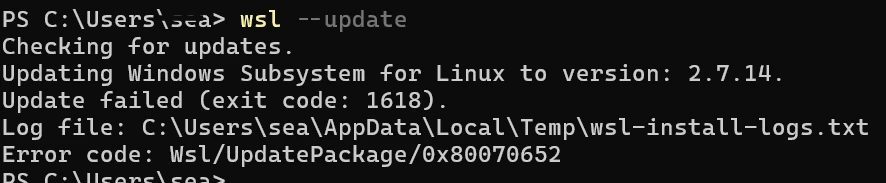
These are Windows troubleshooting notes I keep coming back to: SMB errors that block file shares, WSL refusing to start, Windows 11 complaining about TPM in VMware, and disk space disappearing after background downloads. The common thread is simple: start with the error, isolate the layer that is failing, and fix that layer before changing everything around it. Quick answer For Windows troubleshooting, start by proving which layer is broken before changing settings. For SMB share errors, test port 445, credentials, and SMB signing. For WSL crashes, restart WSL, check the distribution state, and confirm virtualization is healthy. For VMware Windows 11 install problems, verify TPM and Secure Boot settings. For disk space issues, find the folder consuming space before deleting files. ...

December 25, 2025 · 10 min · PwshTips

Automating Office and Active Directory with PowerShell

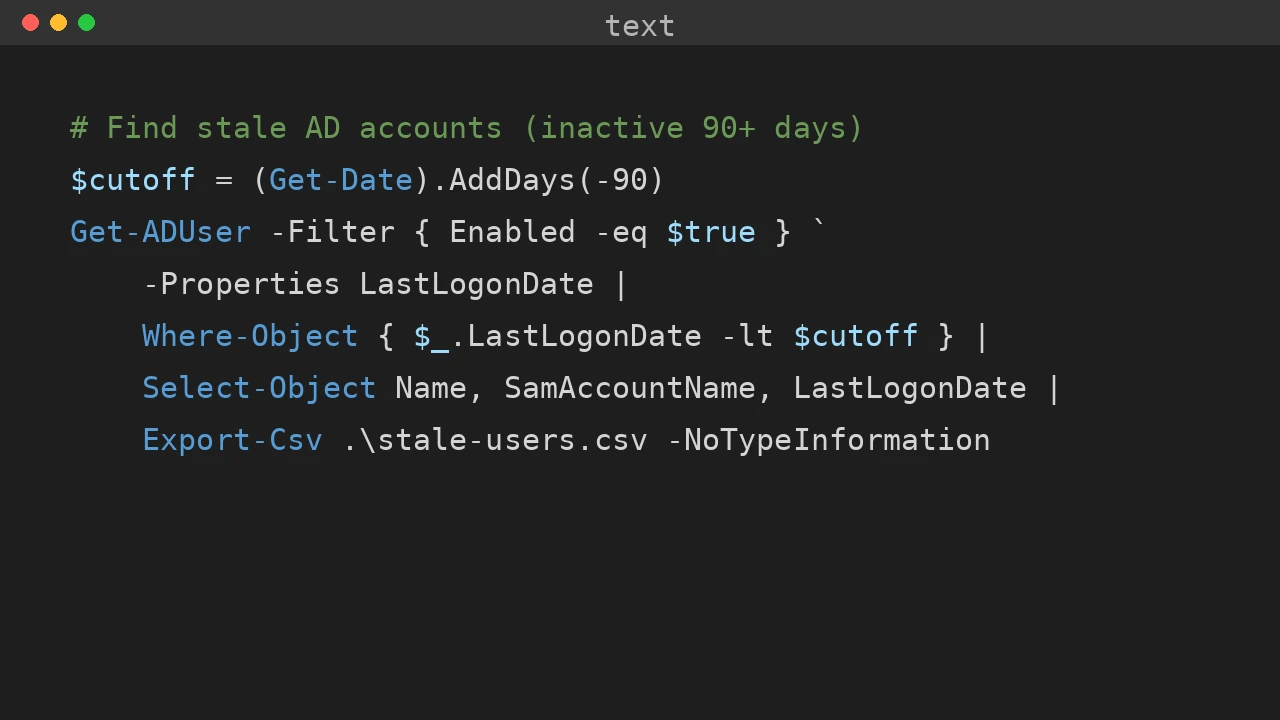
Office deployment and Active Directory maintenance often land on the same admin desk. This post collects the PowerShell workflows I use for silent Office installs, Office activation firewall rules, Get-ADUser reporting, and domain rejoin cleanup when a Windows device has stale identity state. Quick answer Use PowerShell to make Office and Active Directory work repeatable: deploy Office with the Office Deployment Tool and a checked configuration.xml, open only the firewall rules needed for activation, export AD user data with Get-ADUser, and fix stale device identity by checking domain join, Azure AD join, and dsregcmd output before rejoining the computer. ...

December 25, 2025 · 7 min · PwshTips

Essential PowerShell Security: Privileges, Firewalls, and File Safety

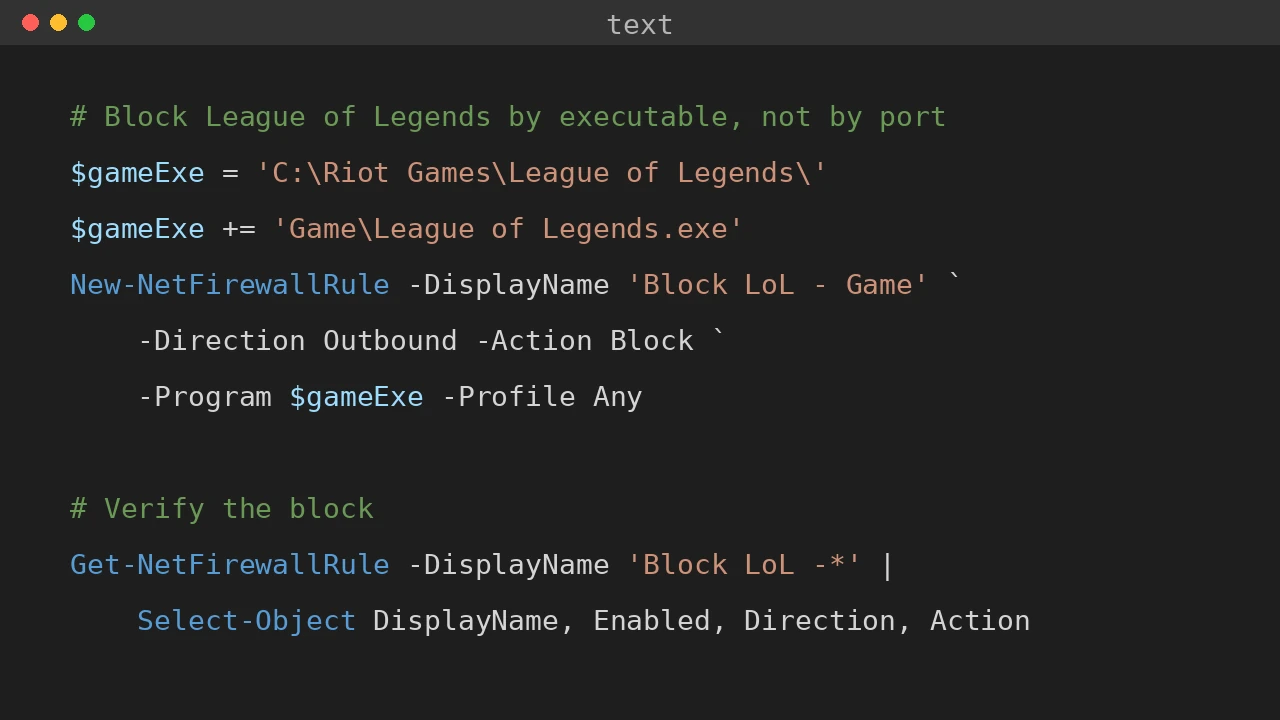
PowerShell scripts often need to touch privileged parts of Windows: services, firewall rules, downloaded scripts, and system folders. This post covers three areas I check often: elevation, Windows Defender Firewall rules, and the Mark of the Web on downloaded files. Quick answer For safer PowerShell administration, keep elevated actions small, explicit, and logged. Use gsudo, Start-Process -Verb RunAs, or Task Scheduler only when elevation is needed. Manage Windows Defender Firewall with named rules instead of broad exceptions, and inspect downloaded files before using Unblock-File because the Mark of the Web exists to warn you about internet-origin content. ...

December 25, 2025 · 7 min · PwshTips

Installing PowerShell Online and Offline

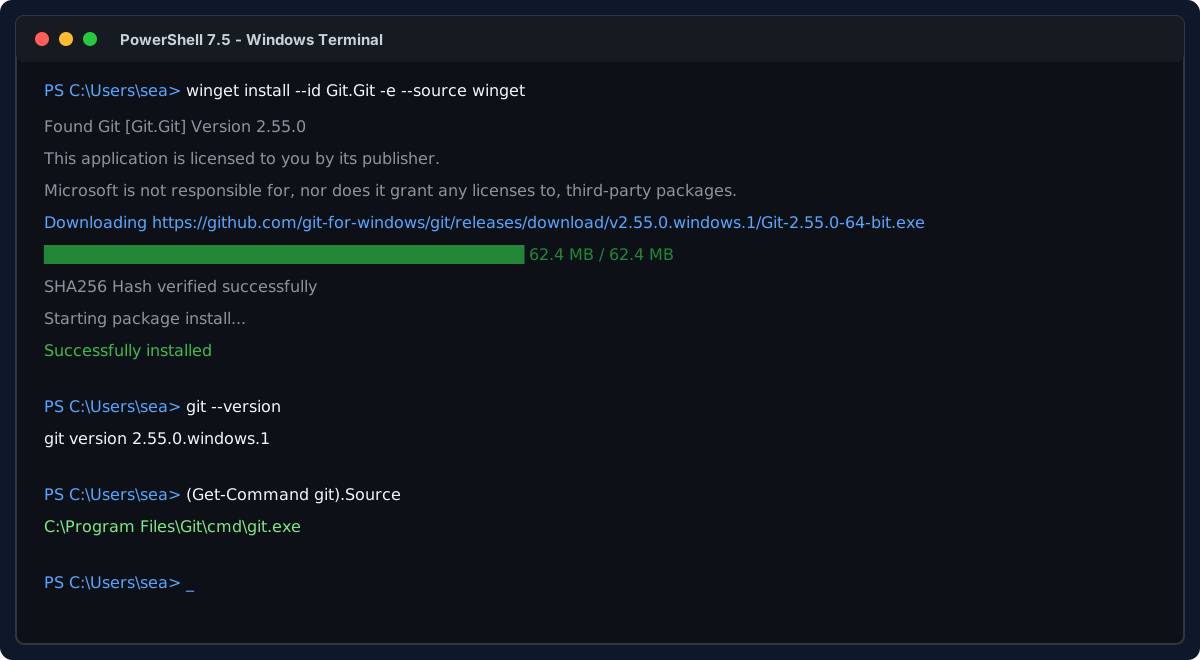
Installing PowerShell is easy on an internet-connected machine. It gets more interesting on servers, locked-down workstations, and networks that cannot reach package repositories. This post covers both cases: normal installs with package managers and offline installs where you need to move installers and modules by hand. Quick answer On connected Windows machines, install PowerShell 7 with winget install Microsoft.PowerShell and keep Windows PowerShell 5.1 for legacy modules. On offline machines, download the PowerShell installer, required modules, and trusted package sources on a connected computer, move them to the target system, then install from local files. Verify the install with $PSVersionTable.PSVersion. ...

December 25, 2025 · 7 min · PwshTips